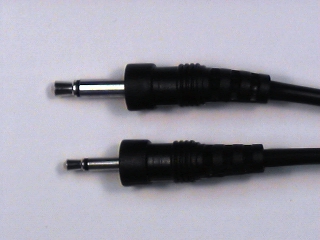
This may have been addressed before and I apologize.
I have an older not very expensive Sony mic and when I plug it into my laptop it doesn’t record very loudly. On playback I turn it way up and barely hear it, even when I put the whistle close to the mic.
Is there some sort of way to increase mic input volume?
(I have the latest Audacity BTW and the mic volume slider doesnt’ help enough)
Is the Sony mic something intended for the way you are using it? i.e. was it designed to be plugged directly into a PC the way you are doing? You may be running into an impedence mismatch between your mic and the PC’s sound card. You may be plugging the mic into the Line input instead of the Mic input.
I bought it before anyone even had computers (circa 1973) and it was intended to be plugged into a tape deck. It’s relatively inexpensive table mic I got for probably $20 at the time.
You need both a way to boost the signal of the mic, and a way to adjust the boosted signal so that it doesn’t overdrive your recording device / sound card. Your recording device should already have the necessary adjustment tools, so that leaves boosting the signal.
I’ve had good results using a small battery-operated mic attached by rubber band between the windway and the top hole of the whistle. Whether you attach it to the top or bottom of the whistle depends on how much air the whistle produces (on my Clarke originals, I always attach the mic to the bottom).
Of course, if you can’t bear to part with your old mic, or can’t afford one, you can also record with a tape recorder, then play it into your sound card. Patch cables are usually much cheaper than mics.
-10 is a Line level signal. +4 is a Mic level signal. Brassblower is quite right. Your old mic is will require a pre-amp. Cheaper to pop into Radio Shack or Circuit City and look for an inexpensive mic that you can plug directly into your PC unassisted.
OK— here’s an idea:
plug your mic into a cassette deck and roll in record…
IF the deck has a headphone output, or line output, try plugging THAT into the computer, and record the output from the deck… UNLESS the tape deck wont allow headphone monitoring when recording, it oughta work. Tape deck becomes preamp+ impedance matching amp. You might even be able to adjust the mic gain through the record levels on the deck, if they’re adjustable.
That microphone was meant to be plugged into a device that could power it, your computer can’t. If you want to record yourself playing whistle the best way is with a headset microphone. The microphone boom is adjustable and just about perfect for recording a whistle solo. You don’t have to spend a lot either. I’m sure you can find a nice one for $25.00 or less.
If you’re going to be in the habit of recording with devices that require a powered mic, you may want to look into one of these little babies (or similar product)…
This is my personal choice for recording directly into a sound card.
The EURORACK UB802 (GBP 45.00 incl. 17.5% VAT) features 2 invisible mic preamps (IMPs), 6 balanced high-headroom line inputs, 1 post fader FX send per channel for external FX devices and 1 stereo aux return for FX applications or for use as a separate stereo input. There is also an effective, extremely musical 3-band EQ on all channels. The EURORACK UB802 is well-suited for use with fixed audio and video installations as well as keyboards, samplers and computer application.
If you just do small stuff, you’ll have all the power and inputs you need, but if you and a few buddies get together and want to throw down a recording you’ll be able to do that too (mine cost me in the ballpark of $50 at guitar center).
I personally prefer a small powered mixer to just a preamp from Rat Shack, but YMMV.
not to go completely techy;
if its a 1973 casette mic, odds are it would be mono, and unbalanced…
requiring a seperate phono or dc connector for the power supply(hehe…remember those??? )…aw geez…I’d get a new mic.


 )…aw geez…I’d get a new mic.