Introducing "WARBL Sound Lab" - A Highly Customizable and Expressive WebMIDI Synthesizer for WARBL

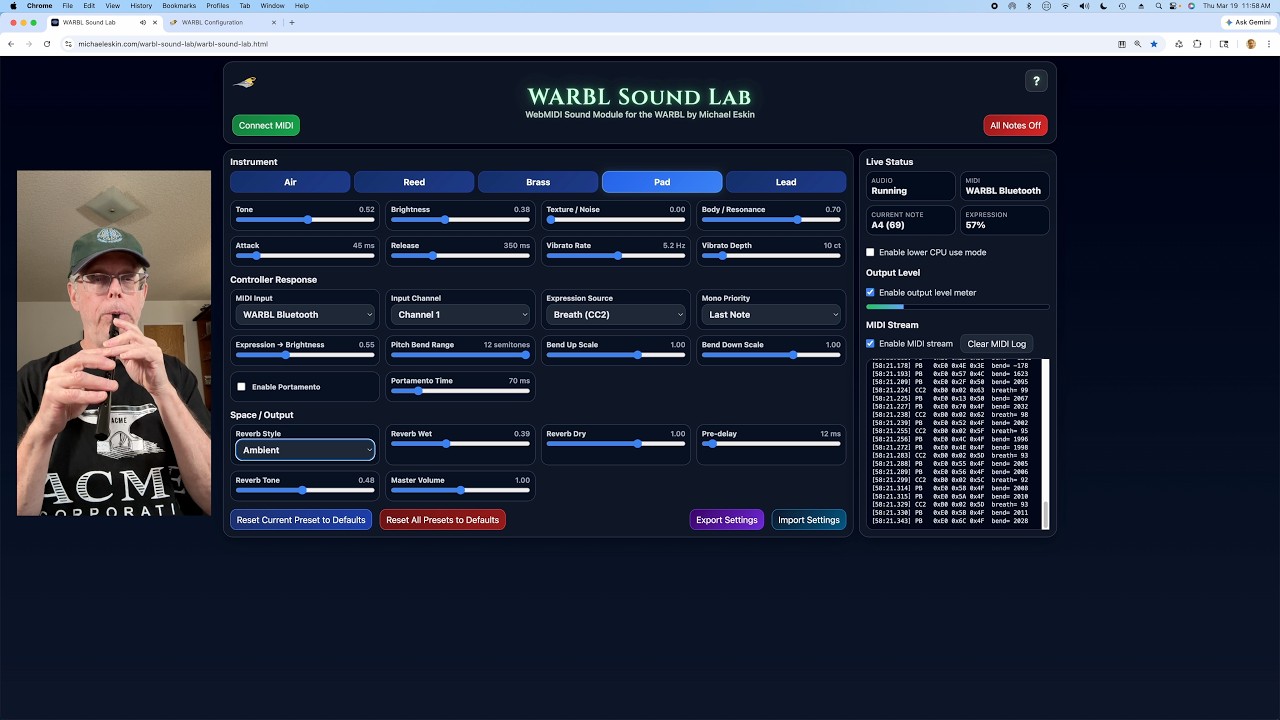
WARBL Sound Lab is a free, highly customizable, and expressive WebMIDI synthesizer built specifically for the WARBL.

Powered by the same advanced WebMIDI sound engine used in Celtic Sounds, it delivers a flexible and responsive playing experience with deep control over tone and expression.

Choose from five unique patches:
• Air
• Reed
• Brass
• Pad
• Lead

Each sound is fully customizable with controls for tone, brightness, texture, vibrato, portamento, reverb, and more.

Try WARBL Sound Lab here:

Demo video:

1 Like

Very cool, thanks for all the work you do for the community.

I’ve been doing a lot of work the past few days enhancing the features and robustness of the WARBL Sound Lab web tool.

WARBL Sound Lab is a free, highly customizable, and expressive WebMIDI synthesizer built specifically for the WARBL.

Powered by the same advanced WebMIDI sound engine used in Celtic Sounds, it delivers a flexible and responsive playing experience with deep control over tone and expression.

Choose from five unique patches:
• Air
• Reed
• Brass
• Pad
• Lead

Each sound is fully customizable with controls for tone, brightness, texture, vibrato, portamento, reverb, and more.

Works best in Chrome, Edge, or other WebMIDI-compatible browsers.

Try WARBL Sound Lab here:

Demo Video

For WARBL Sound Lab, the following advice applies:

WARBL Sound Lab must remain visible on screen while you are playing.

All modern browsers (Chrome, Safari, Firefox, etc.) automatically reduce performance for content that is not visible to conserve CPU and battery.

This includes:

Tabs that are not currently active

Windows that are fully covered by other windows

This behavior cannot be disabled by the tool.

When Celtic Sounds is not visible, incoming MIDI data from the WARBL (breath, expression, pitch bend, etc.) will not be processed smoothly.

This will cause:

Reduced responsiveness

Stepped or uneven dynamics and pitch

Audio glitches, clicks, or pops

As soon as the tab or window becomes visible again, normal performance will resume.

Important: This limitation affects all web-based audio tools.

Best experience:

Keep Celtic Sounds in the foreground, or if using a separate window, make sure some portion of it remains visible at all times.

Added some code to WSL that switches from requestAnimationFrame to immediate processing of CC when the tab is not active or has been hidden.

May end up having occasional pops/clicks when a tab is deactivated or hidden, but at least it can respond to CC streams.

Making it the active tab or opening it in its own window and keeping some of it visible is still the recommended practice in the Instructions.

Give it a try when you get a chance!

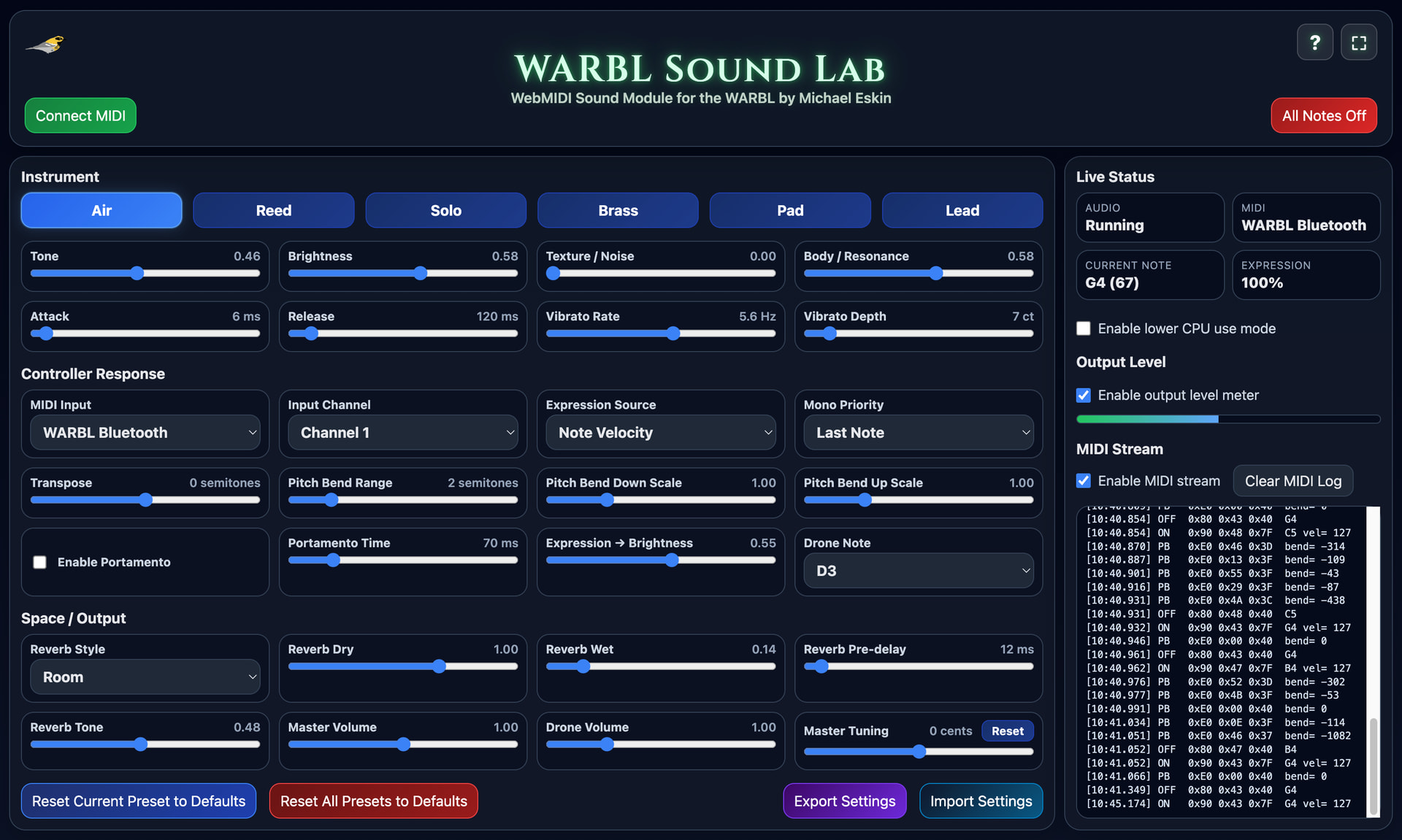
I’ve added an exciting new drone feature to WARBL Sound Lab!

This allows any of the existing patches to be used with a continuous drone, making it possible to create bagpipe-style instruments or other sustained accompaniment textures.

How it works

The drone uses the currently selected patch, so it matches the tone of the main voice. It is slightly adjusted internally (faster attack, no vibrato, slightly fuller sound) so that it sits more steadily under the melody.

The drone is toggled using the standard WARBL drone control:

MIDI Note On, Note 51 (D#3 / Eb3)

Initial volume is set by the velocity of that note.

Controls:

Drone Pitch Range

The drone follows the tuning system and can be set to musically useful ranges for tonic, fifth, or octave drones.

You can choose any note from C2 to D5 for the drone.

Drone Volume

There is an independent volume control for the drone, allowing it to be blended underneath the main voice or brought forward more prominently.

Usage:

This can be used to:

Add a tonic or interval drone to any patch

Create bagpipe-like playing styles

Build sustained backing textures while playing melody

The drone works consistently across all patches and responds to transposition, tuning, and other global and patch-specific settings.

Note about previously exported settings:

The addition of the drone feature required a change to the internal settings format. Because of that, previously exported settings files are not compatible with this version.

You will need to recreate and re-export any previously exported custom patch settings with this new version.

WARBL Sound Lab

https://michaeleskin.com/warbl-sound-lab/warbl-sound-lab.html
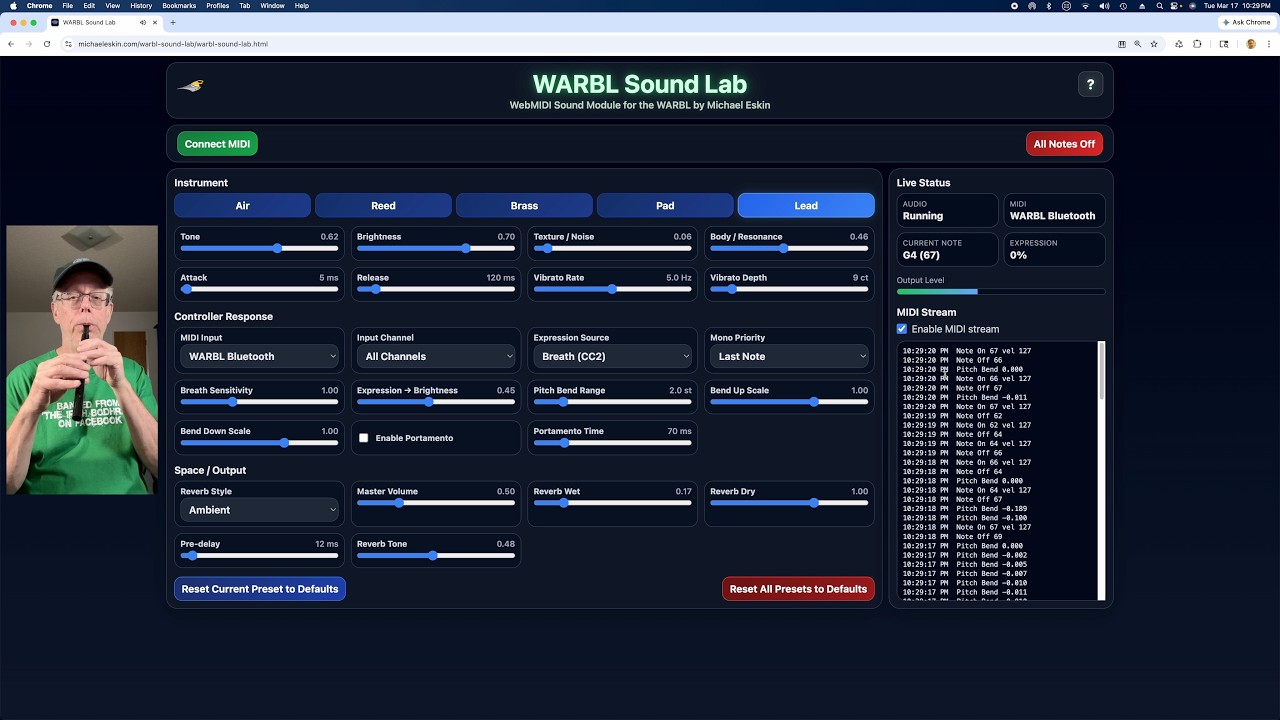
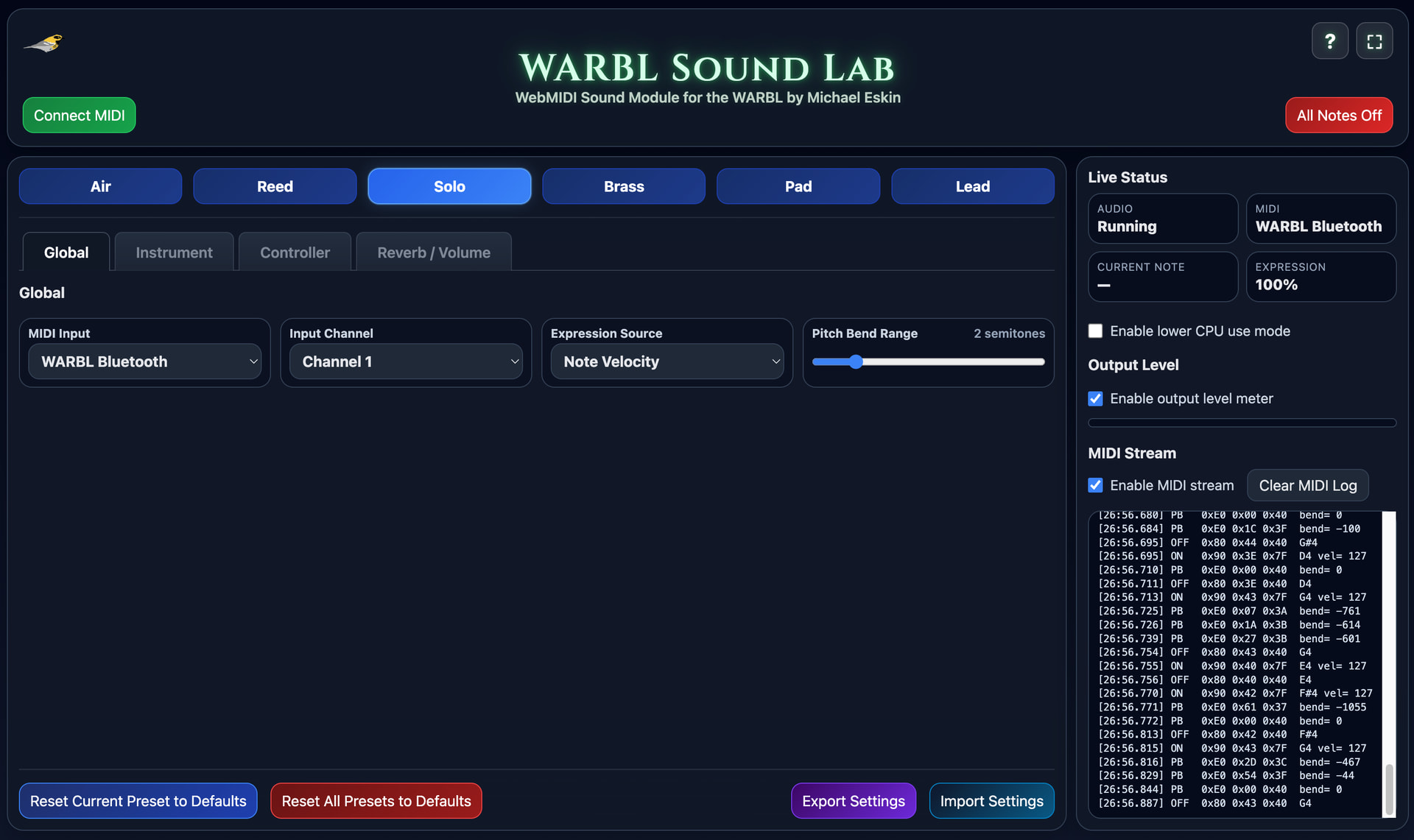
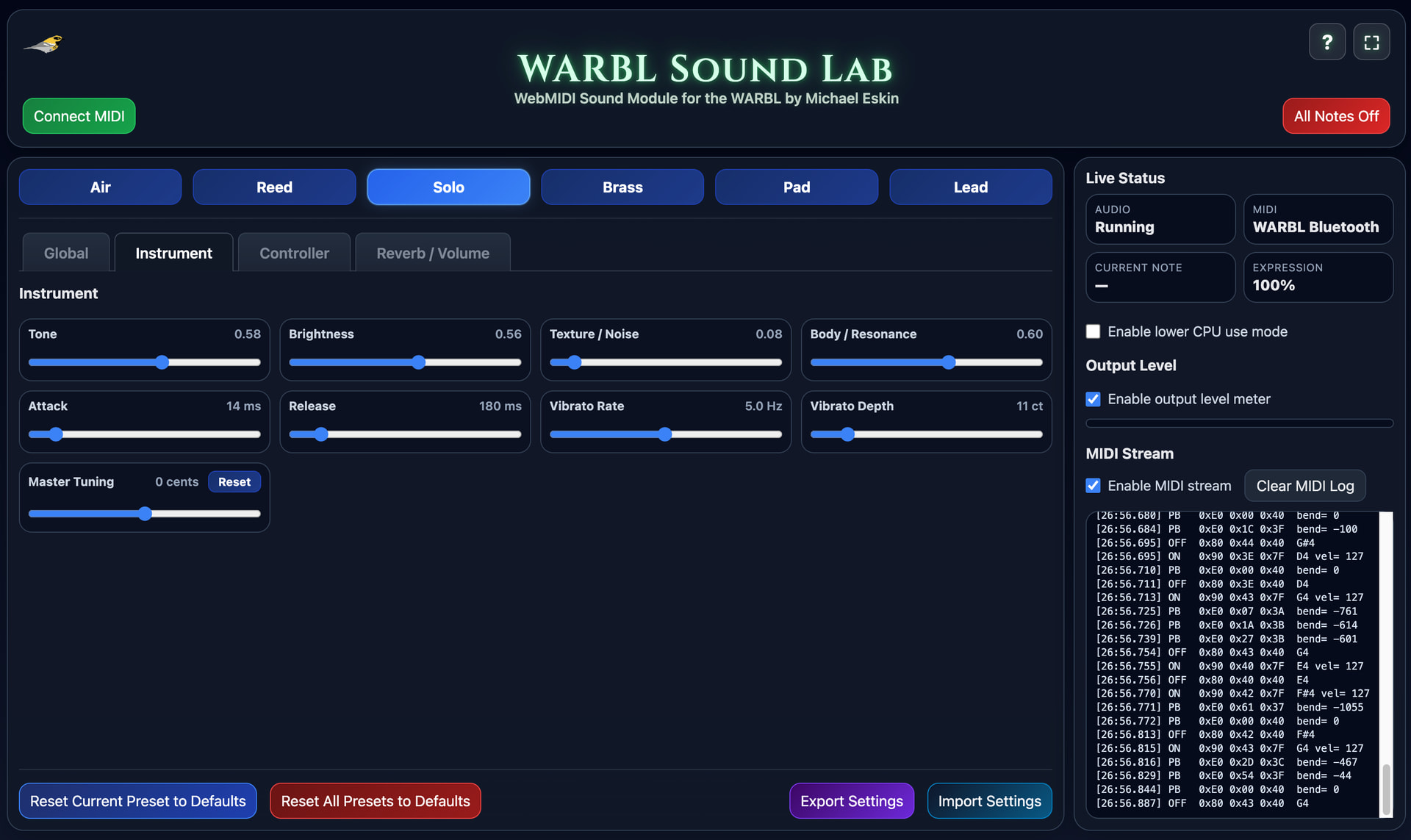
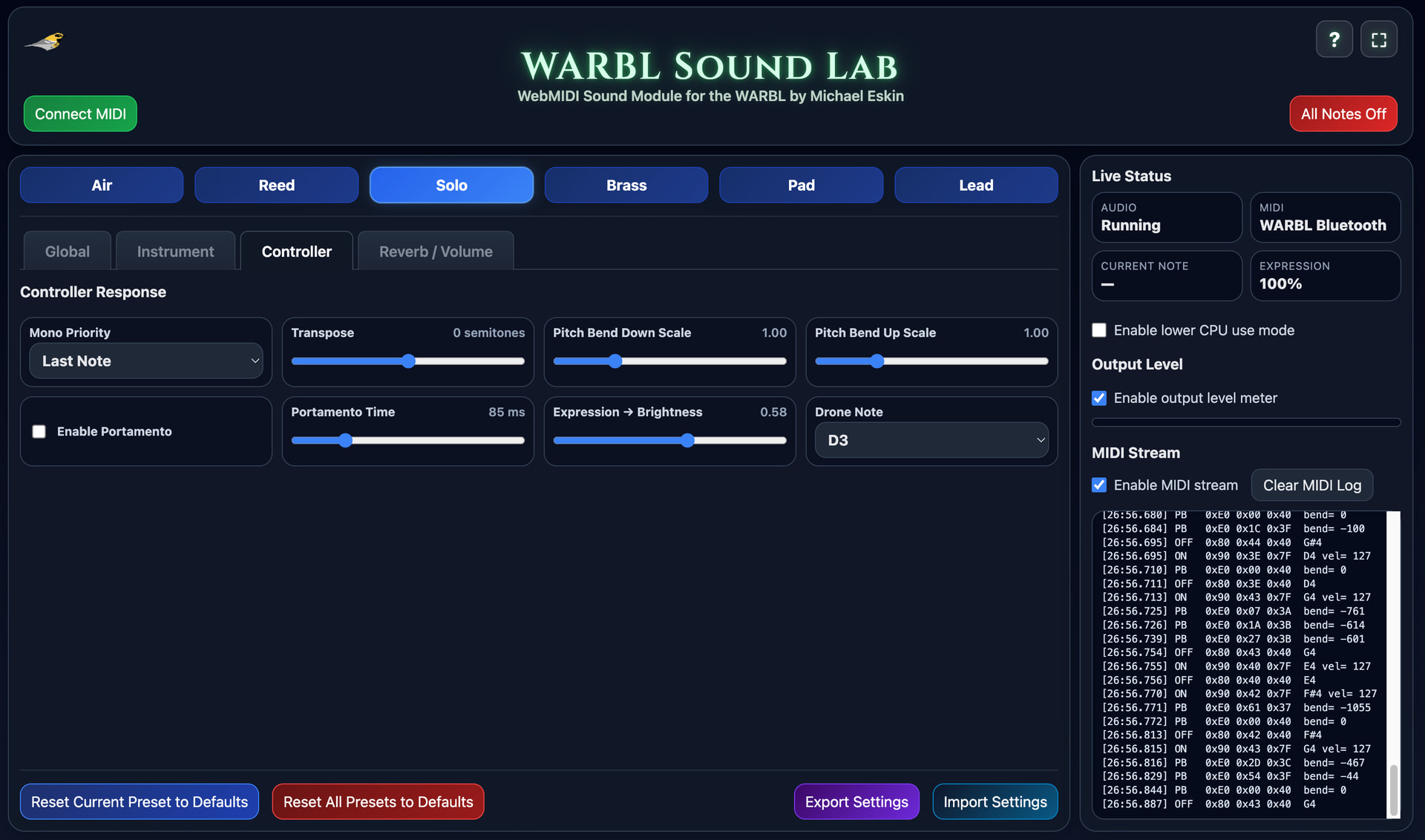
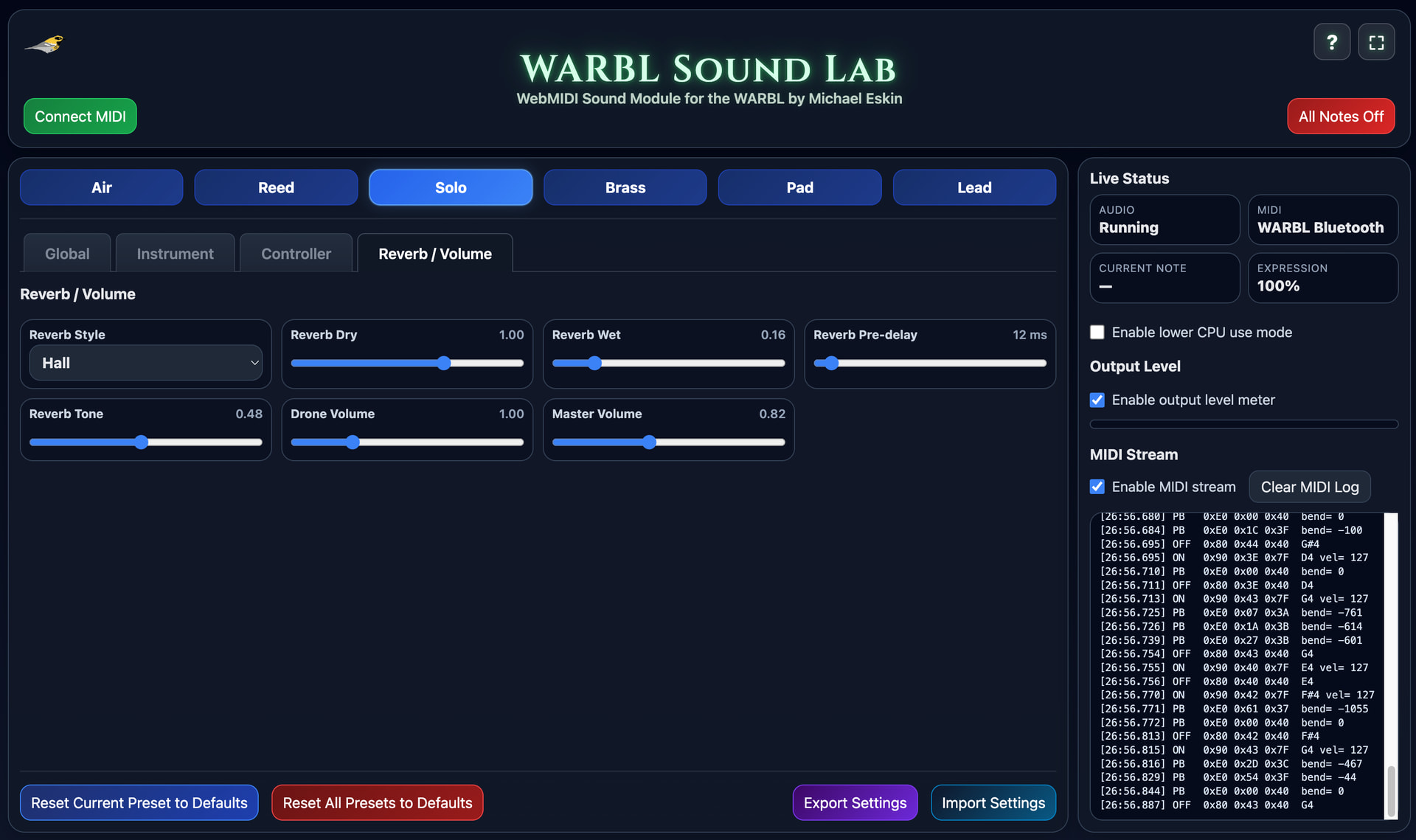
I’ve updated WARBL Sound Lab to use a new tab-based user interface.

Key Improvements:

  1. Structured Control Layout

Controls are now organized into dedicated tabs:

Global – MIDI input, channel selection, expression source

Instrument – Tone shaping and synthesis parameters

Controller – Performance behavior and MIDI response

Reverb / Volume – Reverb effects and output levels

This replaces the previous single-panel layout and provides clearer separation of functionality.

  1. Reduced Visual Density

The interface has been streamlined to reduce clutter and improve readability during performance.

  1. Improved Workflow

The tabbed structure enables faster access to related controls and more predictable navigation when adjusting sound or performance settings.

  1. Scalable Design for Future Features

The new layout provides additional space for expansion without impacting usability.

Future updates can introduce new controls and features without overloading the interface.

  1. Maintained Screen Compatibility

The interface remains optimized for standard laptop displays (e.g., 1920×1080), ensuring all controls remain accessible without layout breakage.

Screenshots below show the updated interface across the different tabs.

The WARBL Sound Lab can be found at:

https://michaeleskin.com/warbl-sound-lab/warbl-sound-lab.html
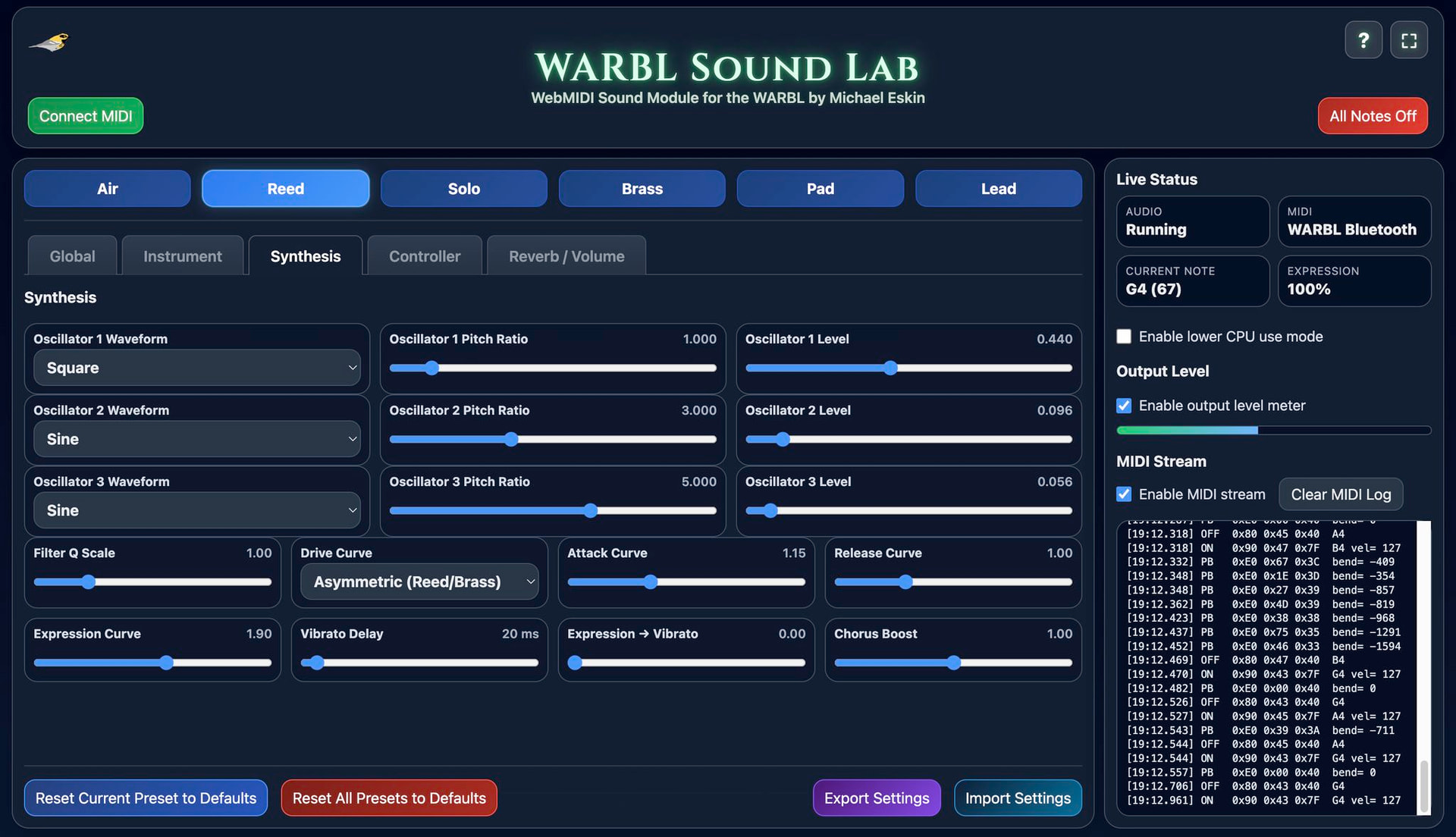
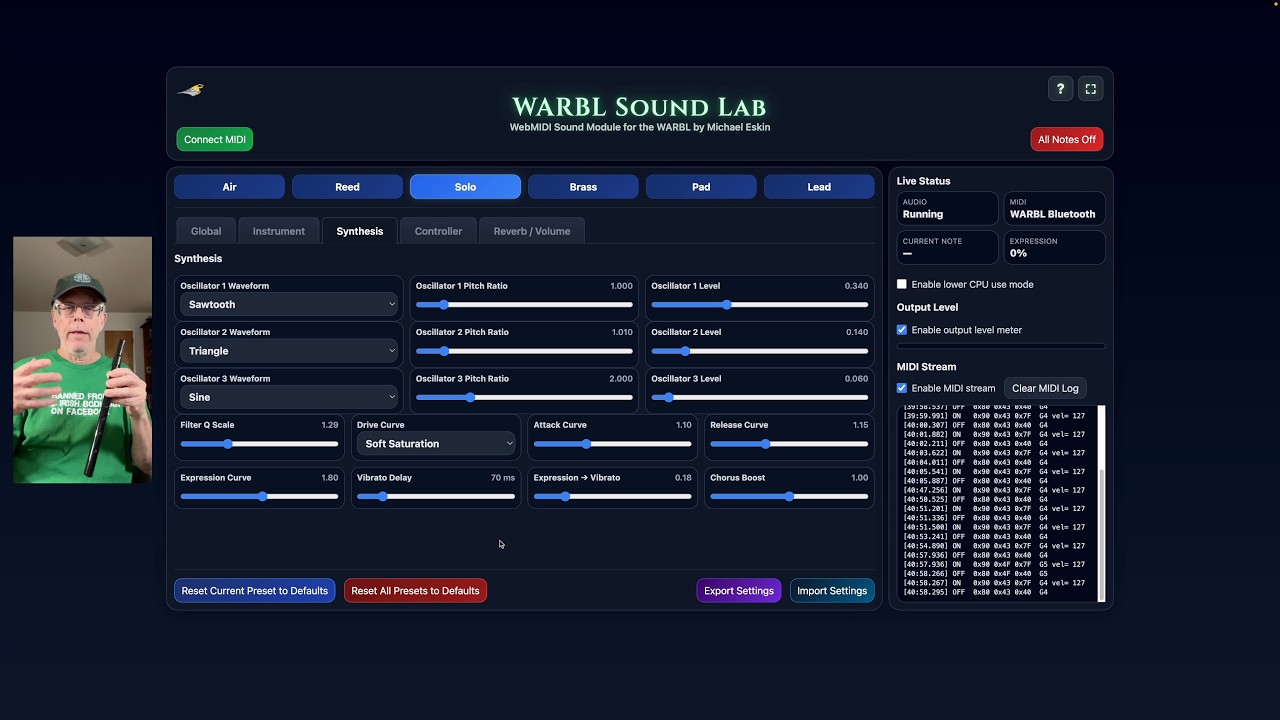
I’ve added a new Synthesis tab to the WARBL Sound Lab that exposes all the internal settings for the oscillator waveforms, frequencies, levels, curves, etc., turning the tool into a full-blown programmable synthesizer.

Use the arrows keys on the keyboard for fine control of the oscillator ratio and level values.

All of these values get saved in exported patches and also in browser local storage between uses of the tool so you never lose your work.

Additionally, you can rename the patches now from the Instrument tab. The patch names get saved in the exported presets.

This massive update to the tool did require a file version bump, so any previously created custom presets will need to be recreated.

Latest information about WARBL Sound Lab!

WARBL Sound Lab is a free, highly customizable, and expressive WebMIDI synthesizer built specifically for the WARBL.

Powered by the same advanced WebMIDI sound engine used in Celtic Sounds, it delivers a flexible and responsive playing experience with deep control over tone and expression.

Choose from six unique patches as your starting point for customization:

• Air
• Reed
• Solo
• Brass
• Pad
• Lead

Each sound is fully customizable with controls for tone, brightness, texture, vibrato, portamento, reverb, and more.

The new Synthesis tab adds deeper control over the internal sound engine, including:

• Per-oscillator waveform selection
• Independent oscillator pitch ratios for shaping harmonic content
• Per-oscillator level controls for precise mix balance
• Filter resonance (Q) scaling
• Drive curve selection for different saturation characteristics
• Envelope and expression response shaping
• Additional modulation controls for vibrato and chorus behavior

These controls allow you to move beyond the base presets and design entirely new sounds, from subtle variations to more synthetic or pipe-like timbres.

Works best in Chrome, Edge, or other WebMIDI-compatible browsers.

Try WARBL Sound Lab here:

Demo video showing all the latest features:

Added new controls to WARBL Sound Lab

On the Instrument tab:

Filter Base – Sets the patch’s starting filter cutoff in Hz.

Lower values make the sound darker and more closed. Higher values make it brighter and more open. (suggested by Jesse Chappell)

On the Synthesis tab:

Sub Osc Level – Controls the level of the sub oscillator, which adds a lower octave or reinforcing tone beneath the main oscillators.

Also moved the Texture/Noise control from the Instrument to the Synthesis tab since it’s part of the sound generation like the oscillators.

Additionally, the oscillator pitch ratio controls have been split into Coarse and Fine pitch ratio controls to allow for easier fine adjustment.

The Coarse pitch ratio control ranges are integers from 0 to 8.

The Fine pitch ratio control ranges are from -0.5 to 0.5 in 0.001 increments.

The Coarse pitch ratio and Fine pitch ratio are added together to give the final oscillator pitch ratio.

Total pitch ratio range available is 0.125 to 8.5.

You can also click on the Fine pitch ratio controls and use your keyboard left and right arrows to step through the values in .001 increments. Click the value display on the Fine controls to reset them to zero.

Sorry, but this latest version also required bumping the file and localstorage versions, so you’ll need to recreate any patches you’ve created for the tool.

I think this pretty much wraps up everything I have in mind for the tool at this point.

If I do anything else going forward, hopefully I can incorporate schema upgrades to avoid further requirement to recreate saved patches.

Hopefully back to my regularly scheduled life, this has been an all-consuming task for the past week, have to get caught up on other things.

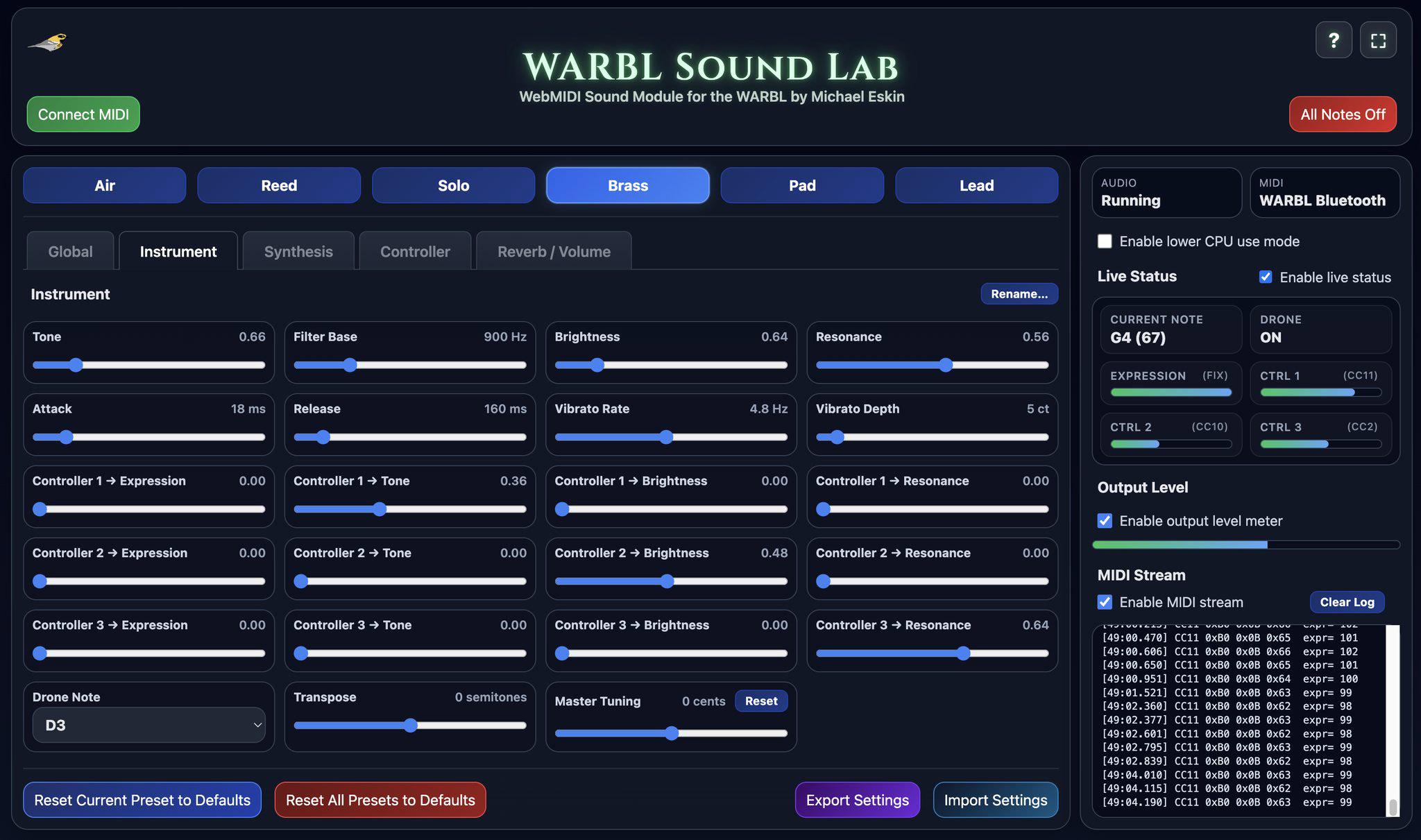
WARBL Sound Lab now includes a new controller mapping feature.

You can assign up to three independent MIDI controller streams:

Controller 1
Controller 2
Controller 3

Each controller can be mapped to a MIDI CC source such as CC1, CC2, CC7, CC10, or CC11. For each patch, you can then set how much each controller affects:

Expression
Tone
Brightness
Resonance

This makes it possible for the same incoming controller data to affect each patch differently, depending on how that patch is configured.

For WARBL2 users, this is especially useful because the WARBL2 includes a built-in accelerometer. The three accelerometer axes produce three MIDI CC streams, and those can now be assigned to Controller 1, Controller 2, and Controller 3 in WARBL Sound Lab.

That means you can change the sound by moving the WARBL in space. Depending on how you configure the patch, motion along the accelerometer axes can be used to control expression, tone, brightness, and resonance in real time.

The original WARBL does not include the accelerometer. This feature applies specifically to the WARBL2.

One important note: I had to change the settings file format again to support this feature. I apologize for that. I know it is inconvenient, and I am very sorry. Unfortunately this means any previously created custom patches will need to be recreated.

Demo video of the new controller mapping options in WARBL Sound Lab that allow you to change the sound by moving the WARBL around in space.

https://youtu.be/aKbM4EnPplA

After making the last video, I realized I failed to show the most basic case of using the accelerometer to control volume expression. :-)

https://youtu.be/VxK53PjtE60

Added bar graphs showing the raw data from the three available controllers in the Live Status area.

This makes it easier to verify that the CC streams from the WARBL and assigned to the controllers on the Global tab are doing what you expect.

I’ve also added the drone on/off status.

The Live Status can now be hidden if you want to further reduce CPU use.

Did some additional work to substantially reduce the CPU overhead required for the Output level control when enabled.

Thank you for this great work

You’re most welcome!

Added support for both Timbre (CC74) and Channel Pressure as expression and controller stream data sources in WARBL Sound Lab.

Both are now also available as new expression stream data sources in Celtic Sounds.

Thank you Jesse Chappell for the suggestion!

Demonstration of the new Spatial Controllers, Spatializer tab, and setting custom CC numbers for controllers.

Also, the Live Status area now only shows controllers that are assigned to a data source.

Try WARBL Sound Lab

https://michaeleskin.com/warbl-sound-lab/warbl-sound-lab.html
Demo video

https://youtu.be/NWOYQmdxA0s