I think that would be very useful, especially since the pitch and loudness of a note are so closely interrelated. When blowing harder sharpens a note and blowing softer flattens it, its difficult to say that an instrument has good tuning, even if the pitch of all the notes are right, if the loudness required to obtain that pitch is sufficiently varied.
It seems to me that what you want to try to quantify is both the range of pitch deviation and the range of loudness variation for the same recording. The goal, I guess, would be to have both ranges be as small as possible.
It also raises the question of what the loudness equivalent of a pitch standard is. We know that some instruments are loud and others are quiet. It would be useful to be able to quantify this using an RTLA tool, just as we can quantify both pitch deviations and absolute pitch, using RTTA. And why not do it all in a single tool? Of course, difficulties in calibrating input devices/microphones etc, likely makes this latter goal (measuring absolute loudness) harder than measuring loudness variation within a single recording.
I’ll consider it when the Chromatic Tuner and RTTA are both up to the level of reliability I’d like them to have. I’m still working through some reported issues on specific platforms and need to sort all that out first before I would consider doing anything like an RTLA.
There is a lot going on behind the scenes in terms of noise gating and compression to optimize the levels so that the pitch detector for the tuning can actually do its job. Those would fight any kind of level measurement.
There are things like automatic level controls that some systems have even if the tool requests that they be disabled, automatic noise reduction systems that may or may not be disabled, etc. that I may or may not have any control over and all of which affect level measurement.
For the purposes of coming up with the pitch offsets for the tuner what I need is a sufficient level to run the pitch detection algorithms and that’s a very different set of requirements than doing absolute level measurement.
Pushed updates to the Chromatic Tuner, RTTA, and Tone Generator today (1/27) to hopefully fix the occasional freezes that could occur if the tool thought the background noise level was much higher than it actually is and would stop responding to played notes.
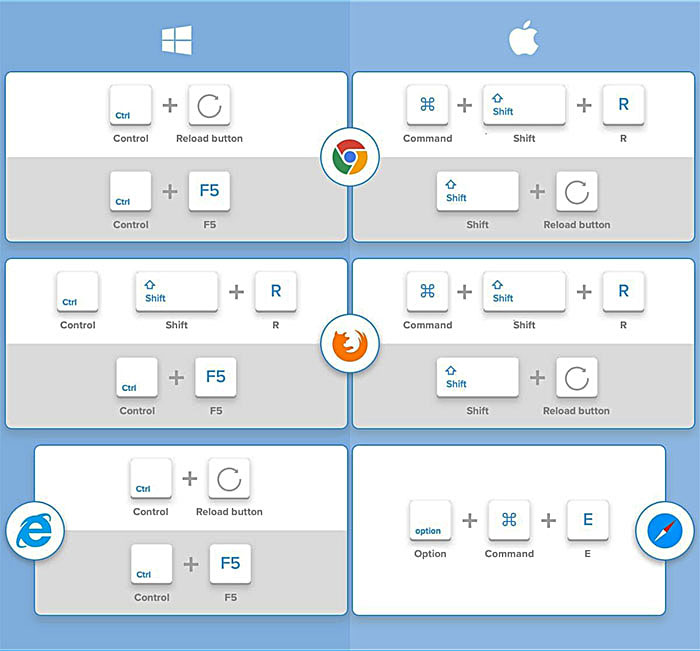
You’ll want to do a hard reload of the page for each tool to make sure you get the latest version.
Fair enough, Michael, that’s certainly the main game.
In the meantime I downloaded a Sound Level Meter app to my phone and tried it on the whistle. This one had the usual meter, plus a moving trace that showed the levels rather like a graph of levels vs time. After a few goes I managed to play all the notes I normally use and pause the App before the first notes started drifting off to left of screen. This would almost suffice except the whistle only varied about 6dB but that’s hard to read on a scale of 120dB! I couldn’t find any way on the App to change the vertical data range.
It could be that there are other Apps out there that are more tweakable. But I’m not in a rush! It did suggest that the level changes aren’t as straight forward as I might have guessed, so I think it might repay some further exploration.
Oooh, that’s interesting. I had experienced some of these freezes and blamed my poor phone! That is working much more nicely now. Well done again, Michael!
Now you mention a “Tone Generator” among the tools you’ve just updated. I don’t think I’m aware of that one. Should I be?
Terry when I realised my fluting days were over and foolishly imagined that I could find a Low D Whistle equivalent, I put a couple dozen makes of Low D Whistles through their paces including measuring the volume differential between the softest notes (usually Low E) and loudest notes (usually High B).
It’s just endemic to Low Whistles and evidently not fixable.
As I’ve mentioned what can be done, and what MK did, was to make the 2nd octave a bit sharp so that to play the two octaves in tune with each other you have to strongly blow the 1st octave nearly to the point of breaking upward, and underblow the 2nd octave nearly to the point of breaking downward. I think that’s as close as a maker can get to evening out the volume levels between the octaves.
On the other hand the Tony Dixon all-plastic Low D, and the Kerry Optima “trial tour” Low D, went the opposite direction with a flat 2nd octave requiring the 1st octave to be underblown and the 2nd octave to really be pushed, thus exacerbating the volume issue.
It’s never going to be like a flute where you can play the two octaves in tune at any volume level you want.
Michael now I’m getting very little response, I tried setting the input all the way up and all the way down and places in between. I tried holding some of the loudest notes to see, each time I tried it read a single note for a moment but then no more response.
I’m not a tech person, I don’t know what “hard reload of the page” means.
Richard, did you take a look at the troubleshooting instructions (click the ? at the top left). You may have to adjust your system’s input levels as well as disable any automatic noise reduction.
Additionally, what URLs are you using to get to the Chromatic Tuner and RTTA?
I suggest using these:
and
to avoid any possible conflict with previous versions that may have been cached for offline use by my ABC Transcription Tools if you haven’t updated them lately.
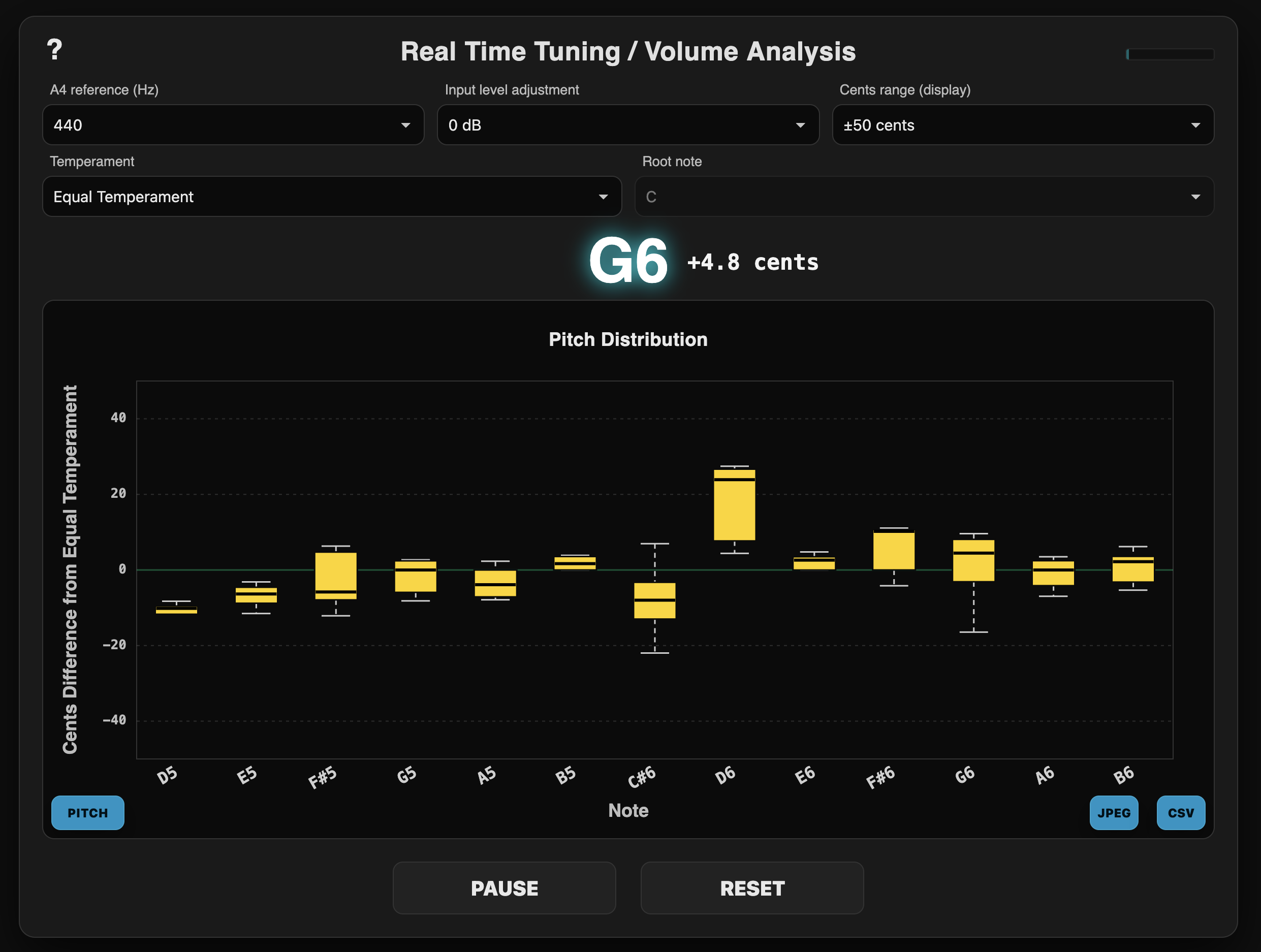
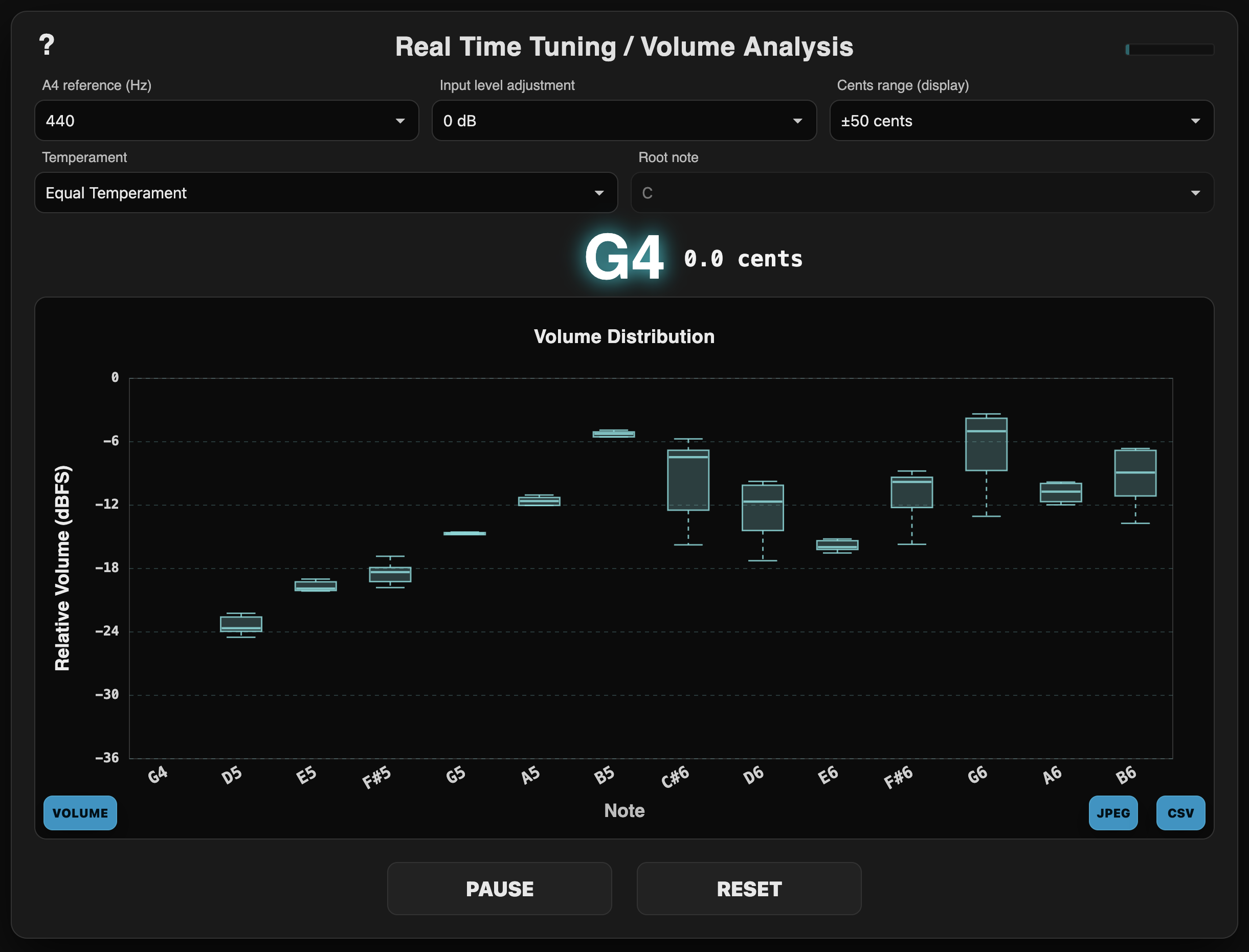
Specifically for Terry McGee, I’ve added a new Real Time Tuning and Volume Analysis (RTTVA) tool (independent of the RTTA tool) that provides both pitch and volume graphs:
Click the ? at the top left for the instructions.
I’m not sure if this version will work well on iOS devices as I’ve had to disable an iOS-specific compressor that helped with pitch detection but would mess up volume detection. You’ll probably have to select a 6 db input level boost in the tool when using an iPhone or iPad.
The CSV export in this version includes the median volume levels.
Terry, I will remind you of Tatsuaki Kuroda’s excellent s8tuner, still available at 尺八フリーソフト, which displays tuning, frequency spectrum, and loudness, and keeps a time history that you can scroll back through. Unlike Michael’s new tool, however, it doesn’t accumulate averages, either for pitch or loudness.
That looks like a nice tool if you’re on Windows. Has anyone tried to install it on Windows 11? I’m exclusively on Mac and iOS.
My tools are all web-based and run in most popular browsers (Chrome/Edge, Firefox, Safari) on essentially every platform and OS, both desktop and mobile, without having to install anything.
Hmmm, I’m not convinced this is working right. I did a quick comparison of levels on my phone and my PC and got differing results. Essentially, the PC thought the levels continue to rise from lowest notes to highest. The phone thought the levels rise to about the note A5, but then flattened out above that. My ear is more inclined to go with the PC.
Could my phone be being overloaded, or could there be some compression or limiting be kicking in?
I should really get rigorous and compare both with an old-fashioned hardware sound level meter, but I’m a bit pushed for time at the moment!
Maybe someone else could do that comparison in case it’s just me!
This is exactly why I was concerned in my earlier post when you first asked about adding level tracking.
The tool is showing exactly what it’s getting from the incoming audio stream.
Some devices may have their own compression, non-linear frequency sensitivity, or other hardware microphone processing that a web app has no ability to disable or control.
My suggestion is to find a device/browser that seems correct and consistent and stick with it.
Generally an actual computer with a microphone should be better than a mobile device, but even then, most laptops or monitor-based microphones are optimized for voice, there are often noise reduction or beam forming software features that need to be disabled in the system audio settings to use a tuner or volume level tool.
If the level values are maxing out, I’d suggest setting a bit of negative input gain.
I just tried it over and over, doing the reset on the thing and also the ctrl + F5 in different orders (on a Windows laptop) trying the db settings everywhere.
Now I’m using a flute, much louder than the Low Whistle I was trying, and just holding long notes.
There have been no responses except one time when it briefly picked up three notes, then froze. So the mic is working, it’s the headphone mic I use for Zoom etc. which I know works for that purpose.
Others aren’t reporting many issues and it’s clearly working for most folks, so about all I can say is try it on some other device or computer if you have one available. Perhaps try another microphone.
There may be something about the audio system on your computer or headset microphone that is preventing the tool from working. Could be automatic noise reduction, auto-leveling or other features I have no ability to control from a web tool.
Are you seeing the level meter on the top right move at all when using the tool? If not, something is preventing the audio from reaching the browser.