Hi.
I would like to watch the BBC programs such as Everything and Nothing, and the Atoms 1,2, & 3, on a larger screen than youtube via a Macbook. (This is so Jeff can think he is watching too. Keeps everyone happy.)
Can I plug my MacBook Pro into my hdtv somewhere, thus using it as a monitor with sound?
This is the plug-in place, on the back of the tv.
There are also these extra ports, on the side:
Prob need some kind of special cables and whatnot, but I’d rather challenge my mind with Japanese (challenge enough,) than study the manuals and figure this out. Especially when someone here is bound to know the answer.
Depending on the age of your MacBook, it probably has a funky video output (it’s much smaller than “normal” video out, look for the monitor symbol). You can buy an adapter (Mac digital video to analog video) from Apple or MacMall for $29.00. If it has the older DV out, your 'puter should have come with an adapter.
Got that stuff. Still doesn’t work. All proper selections and clicks are made. I have the right hardware, bla bla. Sometimes these things are just too geeky and not meant to be.
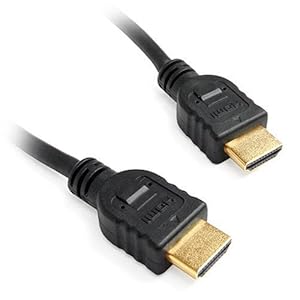
Spoke too soon! Looks like the problem was a cheap crappy hdmi cable.
Moral: buy good hdmi cables. I’m borrowing the one I have plugged into the PS3 now.
I cannot estimate the number of times we have told a customer that there is a problem either with their printer or its cable.
“No, we are convinced the printer is working perfectly - apart from the fault relating to your software.”
“Could it be the cable, then?”
“Impossible! We’ve been using this cable for twenty years…”