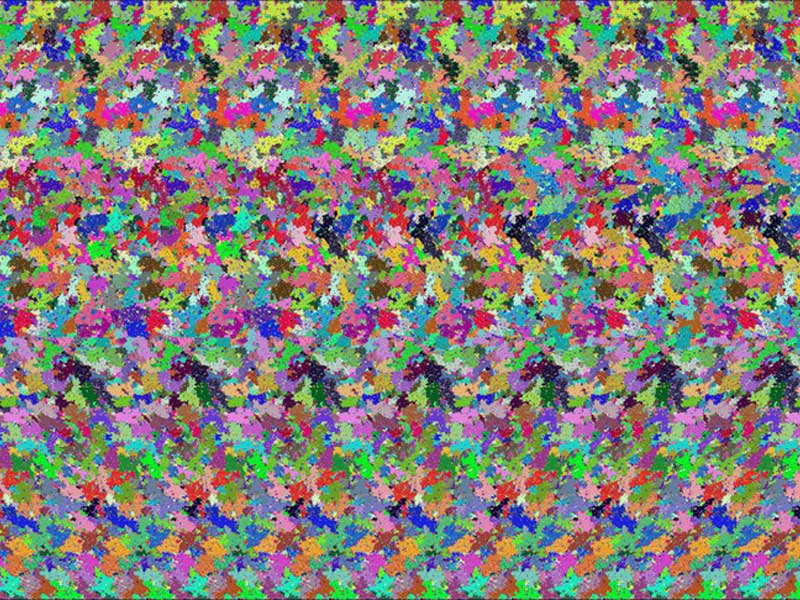
So is this one of those things where you unfocus your eyes just right and see a 3D cockroach or some such? I’ve never been able to get them to work.
Tom
Its a teapot floating over the edge of a table or something
Dang, it is a teapot. It must be floating over that famous “tea tray in the sky”. The guys at NASA definitely need a holiday, or different drugs.
They don’t say which bit of the sky it’s in!
The background really is messed up for the image, but doesn’t justify such a tempest of protest. The coolest of these images I ever saw was animated - of a shark swimming.
djm
I cannot relax enough for these. I know my brain is capable as I have succeeded at times, but in general I just can’t do the focus.
Take your glasses off.
Put your nose right up to the screen.
Don’t look at the pixels on the screen - look behind them.
Slowly draw your face away from the screen.
You may need to move your eyes around a bit to pick up the outline of the object.
Gradually you should be able to bring the image into focus. Don’t take your face more than 6-8"away from the screen until you can pick out the outline of the image.
Hopefully that will work for you.
djm
Wow, that was way cool.
I’ve never been able to see these images, either, until I tried your suggestion, djm. After a coupla tries I was even able to see the teapot with glasses on!
Thanks!
ever since I had Lasik I can’t see these at all. The only way I could before that was to take my glasses off.
Hah! I see it. It’s Jerry Freeman’s avatar. 
All you really have to do is focus your eyes on the far distance, even though you’re looking at something nearer. For example, hold your finger between your computer monitor and your eyes. Look at your finger. Then look at the monitor, and see how your finger doubles in your vision. It’s that doubling that makes the illusion work. Practice keeping your attention on your finger even though your eyes are focused behind it. Practice making the finger double up without having to pick something specific behind it to focus on. You can make any picture or image on your computer screen double up in the same way, by “relaxing” your eyes into the distance. You can control how far the doubles are apart from each other by how much you focus into the distance. Changing how far you are from the picture may help you get different distances. At one particular distance the picture will “snap” into view. Once you get good at it, it’s easy to “sweep” through different focus distances without needing to move close to the picture.
Wow! That shark one was good, but it was nothing like this!
I crossed my eyes slightly, leaned forward, and could pick up a teapot-like depression in the colored bits. Focusing on the back of the depression, I sat back and the darned thing came right out of the screen and hung in the air in front of me.
The screen, with the colors, was still behind it. The thing that came out of the screen was something like an envelope with the flap open about 1 cm. The teapot was cut out of the flap. The more I leaned back, the more 3-D it became.
I could put my hand in it, too. Very cool.
Unfortunately, I can’t quite get my eyes to uncross now.
Wow! That shark one was good, but it was nothing like this!
I crossed my eyes slightly, leaned forward, and could pick up a teapot-like depression in the colored bits. Focusing on the back of the depression, I sat back and the darned thing came right out of the screen and hung in the air in front of me.
The screen, with the colors, was still behind it. The thing that came out of the screen was something like an envelope with the flap open about 1 cm. The teapot was cut out of the flap. The more I leaned back, the more 3-D it became.
I could put my hand in it, too. Very cool.
Unfortunately, I can’t quite get my eyes to uncross now.
What’s wrong, Lamby? What’s wrong, Lamby?
djm djm
Actually it’s not a teapot; it’s 3 teapots. Look closely, there are two behind the first smaller one.
Very cool!
I’m not staring at it anymore! I don’t care what you say!
Actually, you can get several variants by focusing in front of the screen (crossing your eyes) like Lamby did, but they’re all “negative” – the background jumps out in front of the screen, and the “teapot” (or 3 blobs, or patterned row, or whatever, depending on how close your eyes are focused) is indented into the background. To see the proper pot, you have to focus behind the screen.
Yep; I can see the “proper pot.” Saw it the first time I looked, but then I looked a bit closer and there were three. Then I looked again and there was one. Then three; and then one again. There’s a small one with two behind it; plain as day.
I think I’m going to stop looking…
Mr. DJM:
Milagro!
Thos instructions worked for me the first time!
I see:
a) a vertical back wall
b) a horizontal surface, with a gap between it
and the back wall
c) the teapot floating in mid-space
It even moving my head a little left/right/up/down!
thanks for the tip!
trill